

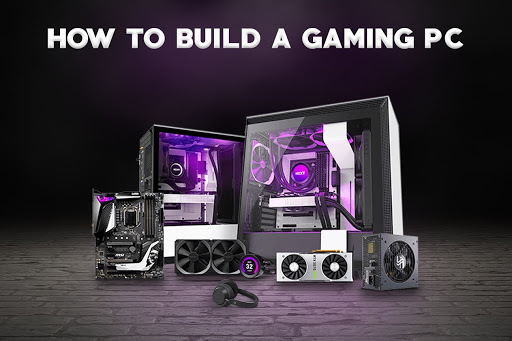
If you want to build your own gaming PC, these are some of the attributes you should consider. If you are a gamer or a video game fan and looking for a different gaming experience, a gamer PC can offer you what you need to take the next step. While there are kits specially designed for this, it is becoming more and more common to see fans put them together on their own. In this article, we will tell you what are attributes that you should consider when doing it.
Let’s start with the basics, what do I need to put together a gamer computer?
- Motherboard
- Processor (CPU)
- Graphics card
- RAM
- Storage
- Power supply
- Refrigeration system
- Cabinet
The motherboard and processor are critical, as they will provide much of the computer performance. Hence, if you’re planning to buy a cheap gaming PC you can take into account the number of processor cores and the frequency in GHz. In addition to the compatibility with different motherboards, which in turn, will help everything work effortlessly.
To select a motherboard, look for one that has inputs to hold interchangeable components: CPU, memory card, video, audio, storage unit, cooling system, and power supply.
When it comes to graphics, consider that some already have them integrated, so if you get a good CPU, your computer will be able to run 4K movies, edit videos, and load various modern games with acceptable image quality.
If you are looking for something more professional, a graphics or video card will help you run more modern content with better quality.
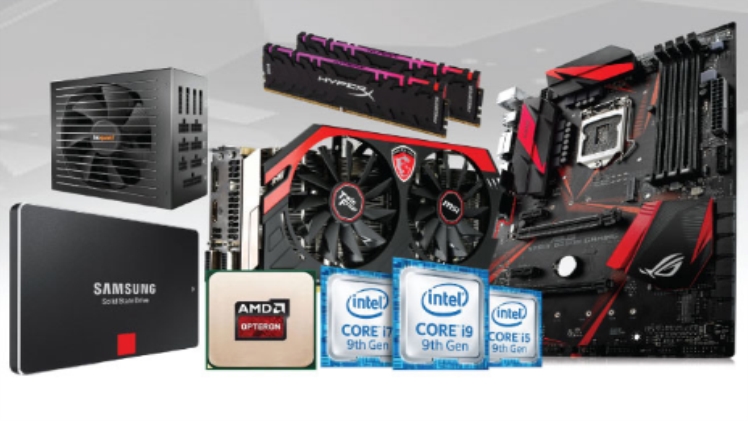
Memory, ventilation, and power supply
There is a wide variety of RAM memory alternatives, from 2 GB to 128 GB. The recommended thing for an acceptable result (without spending too much) is to look for an 8 GB one. If you are looking for something much more powerful, you can opt for one of 16 GB or more.
Do not forget that the higher the capacity, the greater the possibility that your computer will respond more efficiently.
When it comes to storage, the best alternative is to use a solid-state drive (SSD). By doing so you will have advantages over traditional hard drives. Be careful, it is not wrong to use it, however, if you want your machine to be faster, the recommendation is to use an SSD.
For its part, the power supply is important so that the equipment can withstand everything you have on your computer. The higher the functionality, the higher the energy consumption, so you must consider the power (watts) that your PC will need, as well as the capacity of the electrical current in your house, you may need a regulator and/or a no-break, you don’t want an overload to ruin your computer.
Cabinet, much more than just appearance
Beyond being “the case” of your equipment, the cabinet is very supportive of its functionality, do not take priority away from it. If you’ve ever wondered how much a gamer computer costs, it’s not as expensive as you think.
Cooling system?
With the power of a gamer computer, the cooling system is of the utmost importance to prevent the machine from heating up too quickly. Keep in mind that traditional computer fans will not be enough and that while cabinets and graphics cards have built-in cooling systems, if your computer is too powerful, you will need more than that to prevent burnout.
Mouse, keyboard, monitor and other accessories
This point is less relevant than the rest, because in reality it does not affect the performance of your gaming PC in any way. You can choose economic alternatives, this will allow you to invest more in some point of the previous ones.
Using PC Konfigurator to build Gaming PC
There are a lot of options available to build your Gaming PC like a pre-built PC, Custom build PC by specialist and PC Kofigurator tools. PC Kofigurator is an online tool where you can build your dream computer to your work niche and budget. It has different alternative options to choose your PC parts with your favorite brands and budget.
Conclusion:
Above we discuss how to build a gaming PC with your niche & budget. CLS Computer offers Pre-build PC & Custom Made Gaming PC for customers. Also you can use PC Konfigurator to make your custom gaming pc.
