

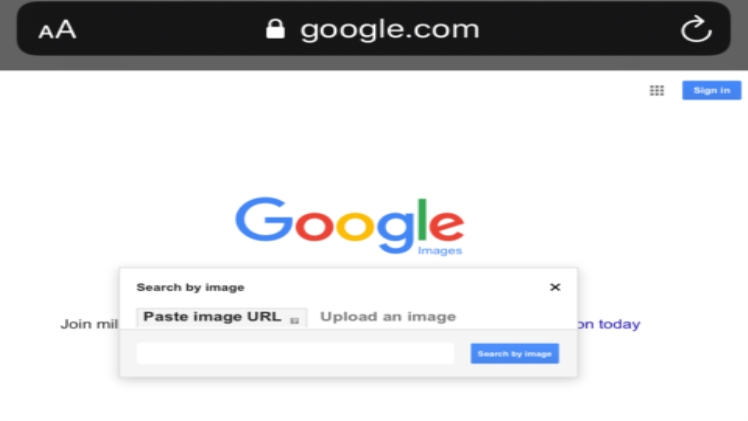
Google image search should be a tool that many people often use. In addition to its high search accuracy, it can also ” find pictures by pictures” and find more results similar to a certain picture, although this is based on current technology It’s not a difficult thing to say, but it’s not easy to be as accurate as Google. If you are often looking for images, Google Image Search can also become a gallery searcher, and you can find images that can be used for commercial use or any modification or sharing through the use of advanced search settings.
However, in recent days, Google Image Search announced that it would remove the ” View Image ” button from the search results , and it was impossible to find images directly. The whole story of this incident was that Google was accused by the well-known image gallery company Getty Images two years ago . The Google image search function allows users to obtain the original image files without connecting to the original website, which indirectly promotes image infringement. Recently, the two parties reached an agreement that Google can use Getty Images products and services, but the search function must be adjusted.
It’s a pity that the lack of a very convenient function has caused Google image search to become less useful. Some foreign developers have created browser plug-in View Images , which can remove the “view image” button and ” The function of “Find Images by Image” re-added the Google image search interface , supporting the two major browsers of Google Chrome and Firefox, and opening the source code to GitHub at the same time.
According to the current situation, Google Image Search should not add this button again. If this function is needed, it can only be solved through extensions.
Extension information
If you are using the Google Chrome browser, open the Chrome Extension link directly. The plug-in is already on the Chrome online application store. Click ” Add to Chrome ” in the upper right corner to download and install for free.Firefox users can also find the corresponding Firefox add-ons on the GitHub page, just open and click the blue ” Add to Firefox ” button to install.
Read more about: Pii Email
