

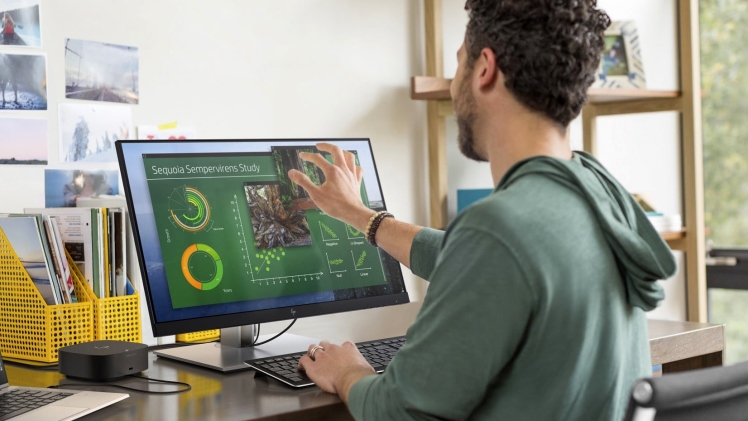
Different types of PC monitors exist. From the brand names to specific models, resolutions, screen sizes, aspect ratio, built-in components, add-on accessories and so many more factors to consider, you really have a TON of options when it comes to your PC monitor.
But if you are looking for a quicker way to interact with your PC, touchscreen monitors would definitely be a good choice. Unfortunately, like choosing non-touchscreen monitors, there are still several types to consider (each with pros and cons). This post discusses each one so you could have a clearer picture of which touchscreen monitor you should use:
1. Resistive touch screen
This is the most popular type of touchscreen monitor today. It is made from two resistive-coated transparent sheets (a glass panel and film screen separated by a narrow air gap). When a user touches the monitor, these two parts will make contact and lead to an electrical flow.
- PRO: Can use any kind of object from your finger to stylus pen, gloved hand, or other
- CON: Image clarity isn’t the highest
- PRO: Low power consumption and cheapest touch screen monitor technology
- CON: Outer film can be damaged by scratching or sharp objects
- PRO: Tactile feel and resistance to oils, grease, dust, moisture, and other surfaces contaminants
2. Surface capacitive touch screen
When it comes to performance, the surface capacitive touch screen works better than the resistive-touch models, especially for larger-sized screens. This monitor is made with a transparent electrode layer placed on top of a glass panel, followed by another protective cover. The layer has 4 electrodes located on each corner, which detects whenever a finger or stylus goes near it.
- PRO: Durable screen with high scratch-resistance
- CON: Does not support multi-touch
- PRO: Provides better image clarity and visibility
- CON: EMI (electromagnetic interference) or RFI sensitive
- PRO: Responds to light touch (no pressure needed)
- CON: Doesn’t detect input by gloved hand and not all models allow pen writing
- PRO: Offers high response speed and high resolution
3. Projected Capacitive touch screen (PCT or P-Cap)
While similar to surface capacitive, this type of touchscreen monitor has some advantages such as gloved and multi-touch activation. It is designed with a sheet of glass on top of an IC chip and electrode films. It is the most user-friendly PCT, associated with tablets and smartphones.
- PRO: More scratch-resistant than the resistive touch screen
- CON: Sensitive to EMI/RFI
- PRO: Offers advanced image clarity
- CON: Requires activation by gloved or exposed finger first
- PRO: Multi-touch (equipped with two or more touchpoints)
Aside from the above options, there is also the Surface Acoustic Wave (SAW) touch and infrared (IR) touch, which aren’t as popular for desktop monitors.
Buying Considerations of a Touchscreen Monitor
A touchscreen monitor isn’t for everybody. However, for very specific needs, such as writing lessons, working on formulas, drawing, and other similar tasks, the touchscreen monitor is irreplaceable.
But before you buy one, you have to consider several things:
- Accuracy requires a stylus pen. Even if you can use your finger for touching the screen, you simply cannot expect it to be accurate. You will still need a stylus pen for high-accuracy tasks, such as writing your signature.
- Say goodbye to a keyboard and mouse? Technically, you can use your computer without a keyboard or mouse anymore because you can click anything with the use of your finger. It is super-fast to be able to do this, but there are tasks that would still require these components (such as writing long texts, or playing a game).
- User-friendly, no training necessary. Anyone can use a touchscreen monitor. Everyone who has ever had an ATM card has used one before. If you came from a traditional monitor, switching to a touchscreen monitor may have a learning curve, but once you’ve gotten used to the basic settings, you can easily work with this kind of monitor.
- Touchscreen monitors eat up more power. Every time your touchscreen monitor detects input, it will power up and increase power from 5 to 10%. While this shouldn’t be an issue for desktop monitors, since it doesn’t rely on portable batteries like a laptop, it will increase overall power consumption.
Touchscreen monitors get dirty very quickly since you’ll be touching the monitor throughout your computer use. Just imagine how dirty your smartphones are at the end of the day – that’s also going to be the case with your touchscreen monitor.
Adding protection or coating to the touchscreen monitor can be a solution, but this also means the sensitivity of the touchscreen is affected. As such, you have to be ready to clean moisture, grease, dust, oils and other dirt regularly.
A touchscreen monitor has its limitations (and they actually cost two times more than your regular monitor), but for someone who is unable to use a keyboard or mouse for long periods of time due to a physical impairment like arthritis, touchscreen monitors can be heaven-sent.
